
Orthodontics Workflow Automation System
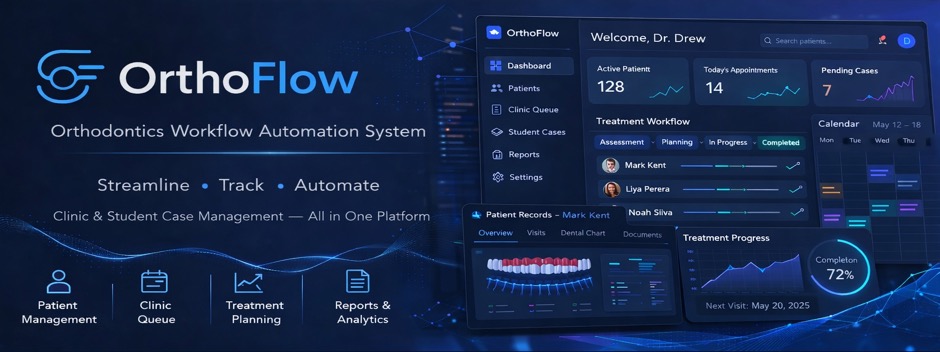
OrthoFlow is a web-based orthodontic clinic workflow automation system designed to support patient care, clinical documentation, student case supervision, clinic queue handling, reporting, inventory tracking, and administrative auditing in a teaching-hospital environment.
Team
- E/23/182, R.K. Kulasooriya, email
- E/23/292, K.S. Rambukkanage, email
- E/23/299, R.D.K.D. Ranasinghe, email
- E/23/302, T.G.D. Randeep, email
Supervisors
- Dr. Asitha Bandaranayake - asithab@eng.pdn.ac.lk
- Dr. H.S.K. Ratnatilake - ksandamala2002@dental.pdn.ac.lk
- Dr. D.D. Vithanachchi - dinakad@dental.pdn.ac.lk
Table of Contents
- Introduction
- Solution Architecture
- Software Design
- Testing and Validation
- Conclusion
- Links
- User and Technical Documentation
Introduction
Orthodontic clinics often depend on paper records, scattered patient histories, and manual coordination between clinicians, students, nurses, reception staff, and administrators. This can slow down record retrieval, make treatment progress harder to trace, and reduce visibility into daily clinic operations.
The Orthodontics Workflow Automation System addresses this by centralizing patient records, visits, dental charts, clinical notes, diagnosis details, treatment plans, documents, queue activity, materials usage, payment records, reports, and audit logs into a single browser-based platform.
Solution Architecture
The system follows a client-server architecture. The frontend in codes/Frontend is a React and Vite application that provides role-aware browser interfaces. The backend in codes/Backend is a Node.js and Express API server connected to a MySQL database.
In production, the system is designed to run with:
- Render Static Site for frontend hosting
- Render Docker Web Service for the backend API
- Aiven MySQL for structured clinical and operational data
- Cloudflare R2 or another S3-compatible storage service for uploaded patient documents and images
- SMTP2GO or Brevo for email delivery
- Google OAuth for Google Sign-In
Software Design
The backend is organized around REST API modules for authentication, users, patients, visits, clinic queue entries, documents, dental charts, clinical notes, payment records, patient materials, student cases, inventory, reports, and audit logs. Middleware is used for validation, authentication, role-based access control, uploads, rate limiting, and error handling.
The frontend is organized around route-based pages and reusable components. It supports dashboards, patient directory workflows, patient profile tabs, dental chart PDF versioning, document uploads, clinic queue management, student case supervision, inventory management, user management, analytics, reports, audit logs, and settings.
Testing and Validation
The repository currently does not include a committed automated test suite. Before a release or handover, maintainers should run the documented build, backend health, role-access, API workflow, and production smoke checks and retain the results outside the repository.
The manual validation scope should include login, Google Sign-In, patient registration, team assignment, visits, live queue updates, dental chart editing and PDF generation, document upload and download, inventory changes, orthodontist and dental surgeon student-case supervision, admin cleanup of removed student cases, reports, audit-log filtering, touch-device chart interactions, appointment reminders, and administrator-generated temporary-password reset emails.
Conclusion
The project provides a working digital workflow platform for orthodontic clinic operations. It replaces several manual and fragmented processes with a centralized, role-aware web application that can support day-to-day clinical work, teaching-hospital supervision, administrative control, reporting, and future institutional expansion.
Links
User and Technical Documentation
OrthoFlow is an orthodontics workflow automation system built for patient care, clinic queue handling, student case supervision, records management, reporting, and administrative auditing.
This documentation is written for clinical users, administrators, future maintainers, technical officers, IT staff, and project stakeholders who need to use, understand, deploy, or maintain the system.
Using OrthoFlow
Start with these guides to understand how the application works in day-to-day use:
- Accounts, Sign-In, and Access — account creation, temporary passwords, Google Sign-In, sessions, deactivation, and role-aware navigation.
- Complete Feature Guide — every major page and feature, including patients, visits, history, dental charts, documents, notes, materials, payments, queue, cases, reports, and audit logs.
- Role and End-to-End Workflows — practical workflows for each role and complete patient, appointment, clinical, and Student-supervision journeys.
- Status and Lifecycle Reference — statuses, transitions, recycle bins, permanent deletion, and audit behavior.
- Roles and Permissions — concise feature-access matrix and assignment-scope rules.
Choose by task
| I need to… | Read |
|---|---|
| Create a user or recover account access | Accounts, Sign-In, and Access |
| Understand a screen or feature | Complete Feature Guide |
| Follow the correct sequence for my role | Role and End-to-End Workflows |
| Understand a status or deletion state | Status and Lifecycle Reference |
| Check who can perform an action | Roles and Permissions |
| Install or run the system locally | Local Development |
| Deploy or maintain production | Technical and Deployment Documentation |
Technical and Deployment Documentation
- System Overview
- Architecture
- Data Storage
- Local Development
- Cloud Deployment
- Environment Variables
- Operations and Maintenance
- Troubleshooting
Detailed Technical References
Repository Layout
.
├── codes/
│   ├── Backend/      Node.js/Express API
│   └── Frontend/     React/Vite frontend
├── docs/             Handover and maintenance documentation
└── README.md         Project entry point
Key Services Used in Production
- Render for frontend and backend hosting.
- Aiven MySQL for the production database.
- Cloudflare R2 for uploaded documents/images.
- SMTP2GO or Brevo for email sending.
- Google OAuth for Google Sign-In.