Click the thumbnail above to watch the video lecture on YouTube
8.1 Introduction
This lecture explores character data handling, string operations, and the compilation/linking/loading process. We examine byte and half-word memory operations, implement string manipulation functions, use library functions like scanf and printf, and understand how programs transform from source code to executable binaries. These topics bridge high-level programming concepts and low-level assembly implementation, essential for systems programming and understanding program execution.
8.2 Character Data and Encoding
8.2.1 ASCII Encoding
Basic 7-Bit Standard
- Represents 128 characters using 7 bits (2⁷ = 128)
- 95 graphic symbols (printable): A-Z, a-z, 0-9, punctuation
- 33 control symbols: newline ('\\n'), tab ('\\t'), null ('\\0')
- Most basic and widely used encoding
ASCII Examples
'A' = 65 (0x41)
'a' = 97 (0x61)
'0' = 48 (0x30)
'\n' = 10 (0x0A)
'\0' = 0 (0x00)  ; null terminator
8.2.2 Latin-1 Encoding
Extended 8-Bit Standard
- Supports 256 characters using 8 bits (2⁸ = 256)
- Includes all ASCII characters (first 128)
- Adds 96 additional graphic characters
- European language support (accented characters)
8.2.3 Unicode Encoding
Modern Universal Standard
- Uses 32-bit character set (2³² possible characters)
- Can represent most world alphabets and symbols
- Used in modern languages (Java, C++, Python 3)
- Variable-length encodings: UTF-8, UTF-16
- UTF-8: 1-4 bytes per character (backward compatible with ASCII)
Why Unicode?
- Global language support
- Emoji and special symbols
- Mathematical and technical symbols
- Historical scripts and languages
8.3 Byte Load/Store Operations
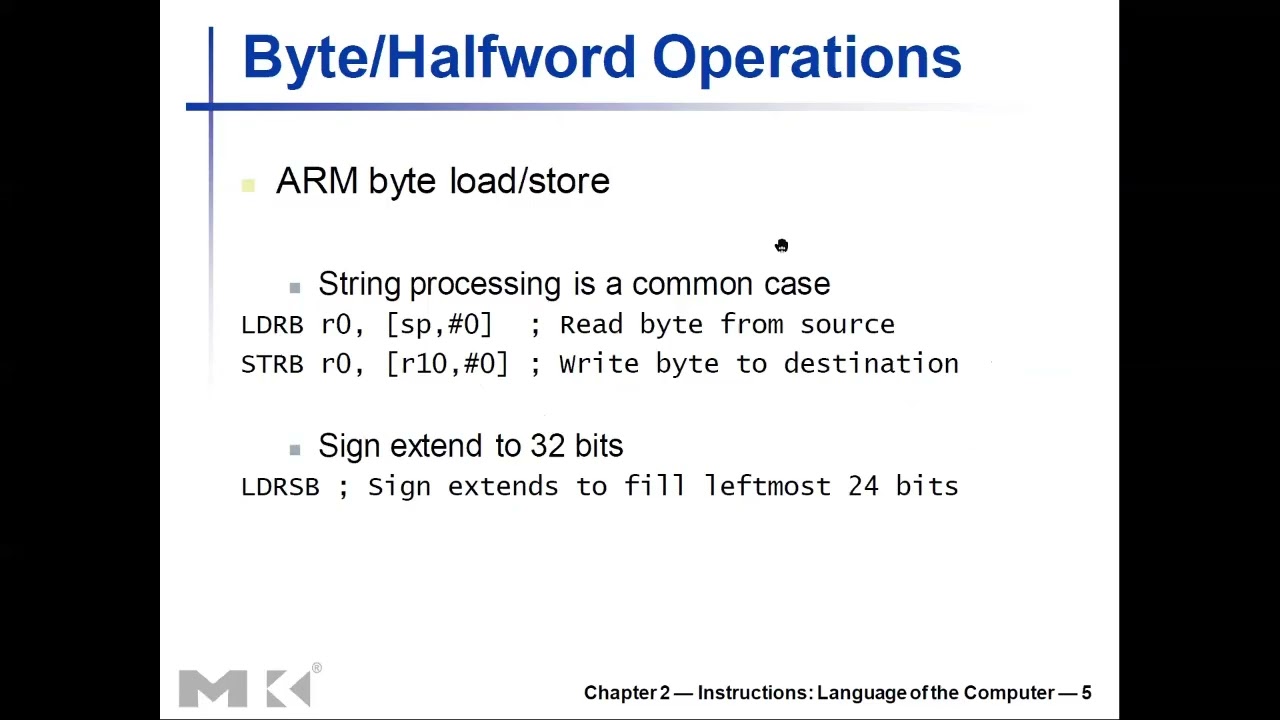
8.3.1 Load Register Byte (LDRB)
Syntax
LDRB Rd, [Rn, #offset] ; Load byte from memoryOperation
- Reads 8 bits (1 byte) from memory
- Fills upper 24 bits of register with zeros (zero-extension)
- Lower 8 bits contain the loaded byte
Example
; Memory[0x1000] = 0x42 ('B')
LDR R1, =0x1000
LDRB R0, [R1]
; R0 = 0x00000042
Use Cases
- Loading single characters
- Reading byte arrays
- Accessing packed data structures
- I/O port access
8.3.2 Store Register Byte (STRB)
Syntax
STRB Rd, [Rn, #offset] ; Store byte to memoryOperation
- Writes lower 8 bits of register to memory
- Upper 24 bits of register ignored
- Only affects 1 byte in memory
Example
MOV R0, #0x41        ; 'A'
LDR R1, =0x2000
STRB R0, [R1]        ; Memory[0x2000] = 0x41
8.3.3 Load Register Signed Byte (LDRSB)
Syntax
LDRSB Rd, [Rn, #offset] ; Load signed byteOperation
- Loads 8 bits from memory
- Replicates sign bit (bit 7) to fill upper 24 bits
- Sign-extension preserves signed value
Example
; Memory[0x1000] = 0xFE (-2 in signed byte)
LDR R1, =0x1000
LDRSB R0, [R1]
; R0 = 0xFFFFFFFE (-2 in 32-bit signed)
; Memory[0x1001] = 0x7F (+127)
LDRSB R0, [R1, #1]
; R0 = 0x0000007F (+127)
When to Use
- Loading signed characters (int8_t)
- Temperature values
- Signed offsets or deltas
8.3.4 Memory Alignment
LDRB Advantages
- Can access ANY byte address
- No alignment requirement
- Example: addresses 0, 1, 2, 3, 4, 5...
LDR Requirement
- Must use word-aligned addresses (multiples of 4)
- Valid addresses: 0, 4, 8, 12, 16...
- Invalid: 1, 2, 3, 5, 6, 7, 9...
- Unaligned access causes errors or performance penalties
8.4 Half-Word Load/Store Operations
8.4.1 Load Register Half-word (LDRH)
Syntax
LDRH Rd, [Rn, #offset] ; Load 16 bitsOperation
- Loads 16 bits (2 bytes) from memory
- Fills upper 16 bits with zeros (zero-extension)
Example
; Memory[0x1000-0x1001] = 0xABCD
LDR R1, =0x1000
LDRH R0, [R1]
; R0 = 0x0000ABCD
Use Cases
- Loading 16-bit integers (short)
- Unicode characters (UTF-16)
- 16-bit data types
8.4.2 Store Register Half-word (STRH)
Syntax
STRH Rd, [Rn, #offset] ; Store 16 bitsOperation
- Writes lower 16 bits of register to memory
- Upper 16 bits ignored
Example
MOV R0, #0x1234
LDR R1, =0x2000
STRH R0, [R1]
; Memory[0x2000-0x2001] = 0x1234
8.4.3 Load Register Signed Half-word (LDRSH)
Syntax
LDRSH Rd, [Rn, #offset] ; Load signed 16-bitOperation
- Loads 16 bits from memory
- Replicates sign bit (bit 15) to upper 16 bits
- Sign-extension
Example
; Memory = 0x8000 (-32768 as signed 16-bit)
LDRSH R0, [R1]
; R0 = 0xFFFF8000 (-32768 as signed 32-bit)
8.5 String Copy Example (strcpy)
8.5.1 C Implementation
Code
void strcpy(char x[], char y[]) {
    int i = 0;
    while ((x[i] = y[i]) != '\0') {
        i++;
    }
}
Algorithm
- Copy characters from y to x one at a time
- Stop when null terminator ('\\0') encountered
- Null terminator also copied
8.5.2 ARM Assembly Implementation
Register Allocation
R0: Base address of x (destination)
R1: Base address of y (source)
R4: Loop counter i
R2: Address of y[i]
R3: Value of y[i]
R12: Address of x[i]
Complete Assembly
strcpy:
    ; Prologue: Save R4 (must preserve)
    SUB SP, SP, #4
    STR R4, [SP, #0]
    ; Initialize counter
    MOV R4, #0           ; i = 0
loop:
    ; Calculate address of y[i]
    ADD R2, R4, R1       ; R2 = y + i
    ; Load y[i]
    LDRB R3, [R2, #0]    ; R3 = y[i]
    ; Calculate address of x[i]
    ADD R12, R4, R0      ; R12 = x + i
    ; Store to x[i]
    STRB R3, [R12, #0]   ; x[i] = y[i]
    ; Check for null terminator
    CMP R3, #0           ; Is y[i] == '\0'?
    BEQ done             ; If yes, exit loop
    ; Increment counter
    ADD R4, R4, #1       ; i++
    B loop               ; Continue loop
done:
    ; Epilogue: Restore R4
    LDR R4, [SP, #0]
    ADD SP, SP, #4
    MOV PC, LR           ; Return
8.5.3 Key Points
Why LDRB/STRB?
- Strings are char arrays (8-bit elements)
- Must use byte operations
Register Preservation
- R4 must be saved/restored (callee-saved)
- R12 doesn't need preservation (scratch register)
Offsets Are Immediate
[R2, #0]uses immediate offset (hash symbol)- Cannot use
[R2, R3]directly without proper syntax
8.6 Library Functions: scanf and printf
8.6.1 scanf Function
Purpose
- Read input from standard input (keyboard)
- Parse formatted input
C Signature
int scanf(const char *format, ...);Arguments
- R0: Address of format string ("%d", "%c", "%s", etc.)
- R1: Address where to store input (NOT the value!)
- R2, R3: Additional addresses for more inputs
Example: Read Integer
C Code
int x;
scanf("%d", &x);  // Note: &x (address of x)
ARM Assembly
.data
formatS: .asciz "%d"
.text
    SUB SP, SP, #4       ; Space for x
    LDR R0, =formatS     ; R0 = address of "%d"
    MOV R1, SP           ; R1 = address where to store
    BL scanf
    LDR R2, [SP, #0]     ; R2 = x
8.6.2 printf Function
Purpose
- Print output to standard output (screen)
- Format and display data
C Signature
int printf(const char *format, ...);Arguments
- R0: Address of format string
- R1, R2, R3: VALUES to print (not addresses!)
Example: Print Integer
C Code
printf("Result: %d\n", result);ARM Assembly
.data
formatP: .asciz "Result: %d\n"
.text
    LDR R1, [SP, #0]     ; R1 = result (value, not address)
    ADD SP, SP, #4       ; Release stack space
    LDR R0, =formatP
    BL printf
8.6.3 Data Section and Format Strings
Data Section
.data
formatS: .asciz "%d"           ; Input format
formatP: .asciz "Result: %d\n"  ; Output format
array: .word 1, 2, 3, 4         ; Array
message: .asciz "Hello"         ; String
.asciz Directive
- Defines null-terminated string
- Automatically adds '\\0' at end
- Stored in data section (separate from code)
Pseudo-Operation: LDR Rd, =label
LDR R0, =formatS ; Loads ADDRESS of formatS into R0- Not actual LDR instruction
- Assembler converts to appropriate instruction(s)
- Loads memory address (pointer), not content
8.6.4 scanf vs printf Argument Differences
scanf: Needs Addresses
SUB SP, SP, #4
MOV R1, SP           ; R1 = address (where to store)
BL scanf
printf: Needs Values
LDR R1, [SP]         ; R1 = value (what to print)
BL printf
Why This Difference?
- scanf modifies variables (needs addresses to write to)
- printf only reads values (copies values)
8.6.5 Calling Convention Rules
Follow Exact Order
- R0 first, R1 second, R2 third, R3 fourth
- Library functions expect specific argument positions
- Assembly won't check violations
- Mistakes cause wrong behavior or crashes
Know Function Signatures
- Read documentation
- Understand parameter types and order
- Match assembly to C function prototype
8.7 Compilation, Linking, and Loading
8.7.1 Translation Overview
Complete Process
C Program (.c)
↓ [Compiler]
↓ [Assembler]
Object Module (.o)
↓ [Linker]
Executable (a.out)
↓ [Loader]
Memory (running program)
8.7.2 Compiler
Function
- Converts high-level C code to assembly language
- Complex task requiring sophisticated algorithms
- Performs optimizations
Optimizations
- Register allocation
- Instruction selection
- Loop unrolling
- Dead code elimination
- Function inlining
Example
int add(int a, int b) {
    return a + b;
}
↓ Compiler
add:
    ADD R0, R0, R1
    MOV PC, LR
8.7.3 Assembler
Function
- Converts assembly language to machine code (binary)
- Simpler than compilation (mostly 1-to-1 mapping)
- Produces object modules
Tasks
- Translate instructions to binary opcodes
- Resolve local labels to addresses
- Generate symbol table
- Create relocation information
Object Module Structure
Header
- Describes contents and sizes
Text Segment
- Machine instructions (binary code)
Static Data Segment
- Initialized global variables
- String constants (format strings)
Relocation Info
- Instructions/data depending on absolute addresses
- Needed when program loaded at different address
Symbol Table
- Global definitions: functions, variables defined here
- External references: functions/variables from other modules
- Enables linking
Debug Info
- Maps machine code to source code lines
- Used by debuggers (gdb)
8.7.4 Linker
Function
- Combines multiple object modules into executable
- Links program code with library code
Tasks
1. Merge Segments
program.o:      lib.o:          Result:
[Text1]         [Text2]     →   [Text1+Text2]
[Data1]         [Data2]     →   [Data1+Data2]
2. Resolve Labels
- Convert symbolic names to actual addresses
- Example: "printf" → 0x80481234
- Processor only understands addresses
3. Patch References
- Update function calls to correct addresses
- Fix relocatable addresses
- May leave some for loader
8.7.5 Static vs Dynamic Linking
Static Linking
- Library code copied into executable at compile time
- Larger executable files
- Self-contained (no external dependencies)
- All code in one file
Advantages
- No runtime dependencies
- Faster load time
- Predictable behavior
Disadvantages
- Large file sizes
- No benefit from library updates
- Memory duplication across programs
Dynamic Linking
- Library code loaded at runtime when called
- Smaller executables
- Shared libraries on system
Advantages
- Smaller executables
- Shared libraries (less memory usage)
- Automatic library updates
- Less disk space
Disadvantages
- Requires libraries installed on system
- "DLL not found" errors
- Slightly slower initial load
DLL (Dynamic Link Library) - Windows
- File extension: .dll
- Shared by multiple programs
- Must be present on system
- Example: msvcrt.dll (C runtime library)
8.7.6 Loader
Function
- Loads executable from disk into memory
- Prepares program for execution
- Initializes execution environment
Loading Steps
1. Read Header
- Determine segment sizes
- Text segment size
- Data segment size
- Other metadata
2. Create Virtual Address Space
- Allocate memory for program
- Set up page tables (virtual memory)
- Map segments to physical memory
3. Copy Segments to Memory
- Text segment (instructions)
- Initialized data
- Set up page table entries
- Mark text as read-only, data as read-write
4. Set Up Arguments on Stack
- Command-line arguments: argc, argv
- Environment variables
- Initial stack frame
Example
./program arg1 arg2- argc = 3
- argv[0] = "./program"
- argv[1] = "arg1"
- argv[2] = "arg2"
5. Initialize Registers
- Set up register file
- PC points to entry point (\_start)
- SP points to top of stack
- Other registers to initial values
6. Jump to Startup Routine
- Calls C runtime initialization
- Sets up standard library
- Calls main() function
- When main returns, calls exit()
8.8 Exercises
8.8.1 Common String Operations
String Length
int strlen(char *s) {
    int len = 0;
    while (s[len] != '\0')
        len++;
    return len;
}
String Reverse
void strrev(char *s) {
    int len = strlen(s);
    for (int i = 0; i < len/2; i++) {
        char temp = s[i];
        s[i] = s[len-1-i];
        s[len-1-i] = temp;
    }
}
8.8.2 Integer I/O
Read Two Integers, Print Sum
; Read x and y
; Print x + y
Read n, Print 1 to n
; Read n
; Loop from 1 to n, print each
8.8.3 Skills Required
- Character data handling (LDRB/STRB)
- String manipulation
- scanf for input
- printf for output
- Stack management
- Function calling conventions
- Loop implementation
- Array indexing
Key Takeaways
- ASCII (7-bit), Latin-1 (8-bit), Unicode (32-bit) represent character data with increasing capacity.
- LDRB/STRB for byte operations, LDRH/STRH for half-words - smaller than word operations.
- Byte operations don't require alignment unlike word operations (LDR/STR).
- Sign extension (LDRSB/LDRSH) replicates sign bit to preserve signed values.
- Strings in C are char arrays terminated with null character ('\\0' = 0).
- scanf and printf are library functions called via BL instruction.
- scanf needs addresses (where to store), printf needs values (what to print).
- Format strings stored in .data section using .asciz directive.
- Arguments passed in R0-R3 following ARM calling convention.
- Compilation chain: Compile → Assemble → Link → Load → Execute.
- Static linking includes libraries in executable, dynamic linking loads at runtime.
- Loader sets up virtual memory, copies segments, initializes stack with arguments.
Summary
Character data handling and library function usage bridge high-level programming concepts and assembly implementation. Understanding byte/half-word operations enables efficient string manipulation and compact data storage. The scanf/printf functions demonstrate how assembly code interfaces with system libraries, requiring careful attention to calling conventions and argument types. The compilation, linking, and loading process reveals how source code transforms into running programs, involving multiple stages with distinct responsibilities. Static and dynamic linking represent different trade-offs between self-containment and flexibility. These concepts are essential for systems programming, understanding program structure, and debugging low-level issues. This knowledge prepares us for advanced topics including operating systems, compilers, and system-level optimization.