e23-co5430-Sparse-3D-reconstruction-from-multiple-images
Structure From Motion
CO543/CO5430 Computer Vision Project, Group 13. Sparse 3D reconstruction from multiple images.
Team
| Name | E-Number | |
|---|---|---|
| K.L.D.H. Liyanagama | E/23/202 | e23202@eng.pdn.ac.lk |
| W.G.R.P. Gamage | E/23/108 | e23108@eng.pdn.ac.lk |
| C.M.H.K. Chandrasekara | E/23/043 | e23043@eng.pdn.ac.lk |
Problem statement
Given a set of overlapping images of a scene, recover the camera pose for each image and a sparse 3D point cloud of the scene, using Structure from Motion. This repo ships two independent pipelines that solve the same task and can be compared side-by-side:
- Classical feature-based SfM (
run.py+sfm/) — ORB (baseline) or SIFT (improved classical), brute-force matching, RANSAC geometric verification, incremental reconstruction, and sparse bundle adjustment. - Deep-learning-based SfM (
deep_learning_pipeline/) — SuperPoint features, LightGlue matching, and incremental reconstruction + bundle adjustment viapycolmap(throughhloc).
Both pipelines output a sparse point cloud and camera poses, and both print
an identical M2/pose evaluation summary so the two methods can be compared
directly. See docs/UserGuide.md (index) and datasets/templeRing/README.txt
for dataset details.
Pipeline overview
run.py drives sfm/pipeline.py:run_pipeline():
- Feature detection — ORB (baseline) or SIFT (improved classical)
keypoints + descriptors per image (
features.py). - Matching — brute-force + Lowe’s ratio test (0.75), correct distance
metric chosen automatically (Hamming for ORB, L2 for SIFT). Sequential
pairs with wraparound by default (
MATCHING_STRATEGY=sequential,MATCH_WINDOW=6; seeconfig.py). - Geometric verification — RANSAC Essential matrix per pair
(
geometry.py:geometric_verify). - Incremental reconstruction — best initial pair (most inliers +
triangulation angle), triangulate, then register each remaining image via
PnP+RANSAC and triangulate new points (
reconstruction.py). - Bundle adjustment — jointly refines all camera poses and 3D points
with a sparse Jacobian (
bundle_adjustment.py). - Evaluation — M2 structure summary plus Umeyama-aligned pose accuracy
against TempleRing ground truth (
evaluate.py).
Full user guides:
docs/ClassicalGuide.md— classical run, outputs, evaluation, troubleshootingdocs/DeepLearningGuide.md— SuperPoint + LightGlue + pycolmap rundocs/VisualizationGuide.md— keypoints, matches, point-cloud viewersdocs/GaussianSplattingGuide.md— downstream 3DGS rendering
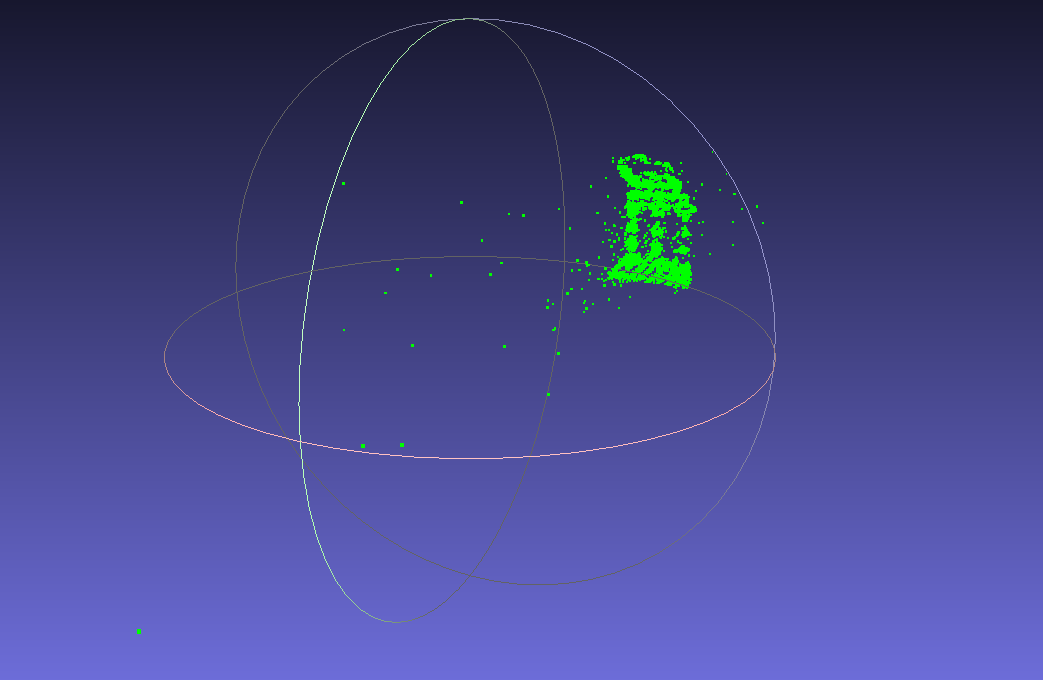
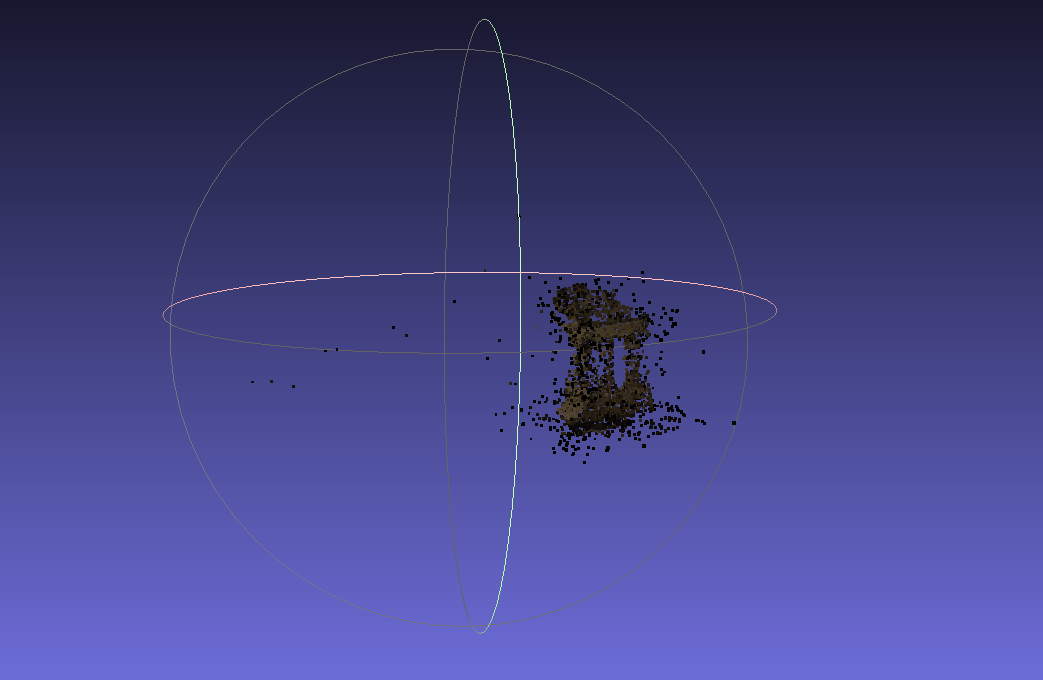
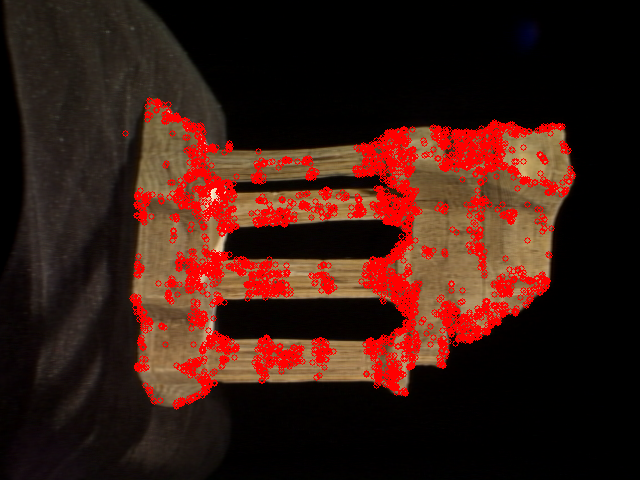
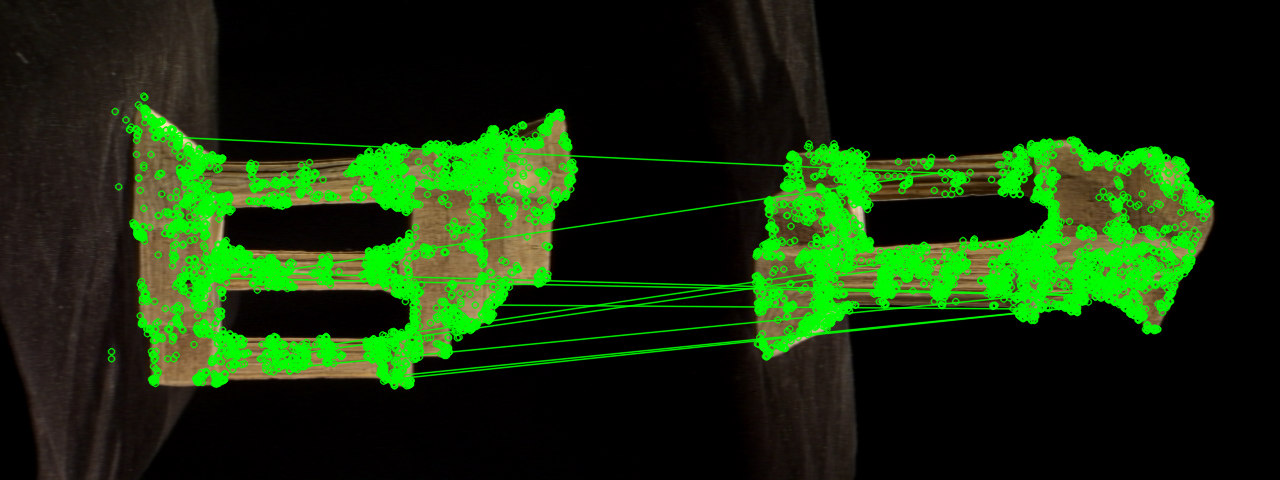
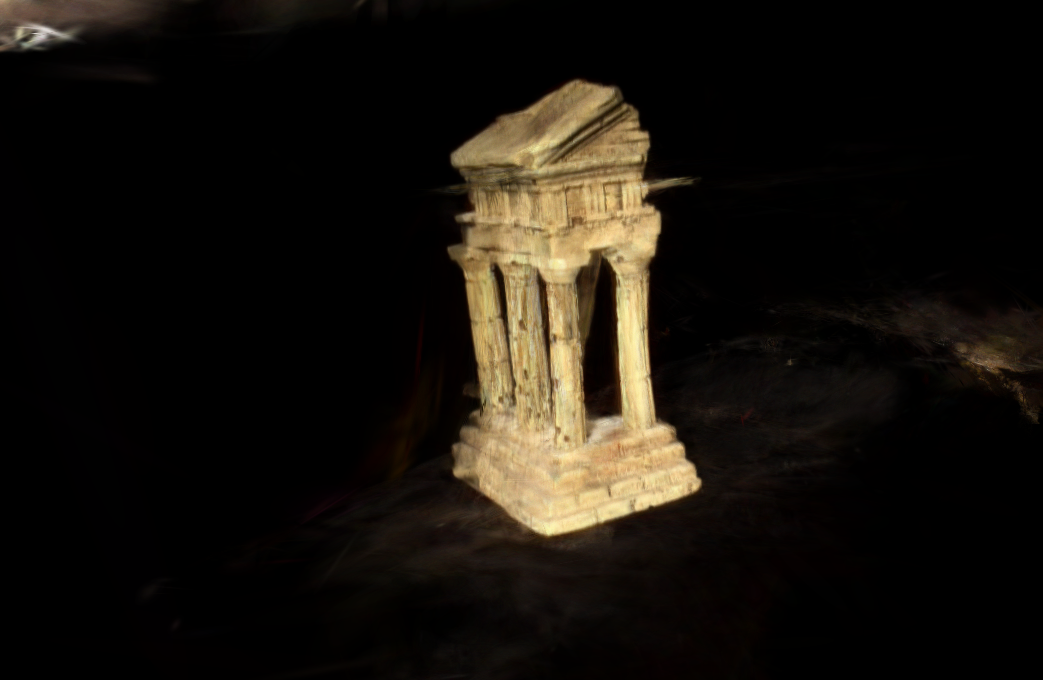
Results preview
Setup
python -m venv venv
source venv/bin/activate        # Windows: venv\Scripts\activate
pip install -r requirements.txt
cd Hierarchical-Localization && pip install -e . && cd ..   # deep pipeline only (hloc)
Dataset
This repo does not commit dataset images (see .gitignore).
Download TempleRing (Middlebury Multi-View Stereo dataset) yourself and place
the .png files in datasets/templeRing/images/. The calibration files
(templeR_par.txt, templeR_ang.txt, README.txt) are already included.
Quick start
python run.py                          # ORB baseline (default), TempleRing
python run.py --feature_type sift      # SIFT variant
python run.py --out outputs/my_run     # custom output location
python -m deep_learning_pipeline.run_pipeline   # SuperPoint + LightGlue → outputs/lightglue/
Each classical run prints, in order: keypoints per image, matching progress, the chosen initial pair, per-image PnP registration, bundle adjustment, the M2 summary, and pose accuracy against ground truth.
CLI reference
run.py flags (defaults come from config.py):
| Flag | Default | Description |
|---|---|---|
--feature_type |
config.FEATURE_TYPE (orb) |
sift or orb |
--images |
config.IMAGES_DIR |
Folder of input images |
--out |
outputs/<feature_type>/ |
Output folder (derives from --feature_type if not given) |
--gt_calibration |
config.GT_CALIBRATION_PATH |
Ground-truth *_par.txt for intrinsics + pose scoring |
--no_gt_intrinsics |
off | Ignore GT intrinsics, use the width/height approximation |
Deep pipeline: python -m deep_learning_pipeline.run_pipeline
[--dataset-dir] [--output-dir] [--skip-existing] — see
docs/DeepLearningGuide.md.
Outputs
Classical runs land in outputs/<feature_type>/:
points3D.ply,points3D_open3d.ply(+ best-effortpoints3D_open3d.png) — sparse point cloudcameras.json— recovered camera poses + intrinsicssparse/0/{cameras,images,points3D}.txt— COLMAP text model whenEXPORT_COLMAP=Trueimages/— registered images copied for COLMAP/Gaussian Splatting
Deep runs land in outputs/lightglue/: points3D.ply, poses.txt,
sparse/ binary COLMAP model, plus features.h5 / matches.h5 caches.
Visualizing results
3D reconstruction (classical, interactive)
python view.py outputs/sift
python view.py outputs/sift --point_size 5.0
Opens Open3D with the cloud + orange camera frustums. Or open the .ply in
MeshLab (Point Splatting — it is a sparse, unmeshed cloud):
meshlab outputs/sift/points3D.ply
Deep model:
python -m deep_learning_pipeline.visualize --sfm-dir outputs/lightglue/sparse
See docs/VisualizationGuide.md for details and example images.
Keypoints & feature matching
Visualize detected keypoints and pairwise matches without running the full
pipeline. Only --feature_type is required:
python viz_matches.py --feature_type sift
Writes to outputs/<feature_type>_viz/:
keypoints/keypoints_<i>.png— keypoints per image (fixed r=3)matches/<i>_<j>.png— raw matches red + RANSAC inliers greenmatches/inliers_<i>_<j>.png— inliers only
Useful flags: --pairs "0,1 1,2", --interactive, --matching_strategy,
--match_window, --max_features, --gt_calibration, --out.
Project structure
Root/
├── run.py              # classical entry point (wires pipeline + evaluation)
├── sfm_baseline.py     # backward-compatible facade (re-exports sfm)
├── sfm/                # modular classical SfM implementation
│   ├── __init__.py      # public API re-export
│   ├── pipeline.py      # end-to-end orchestration (run_pipeline)
│   ├── cli.py           # direct module CLI (python -m sfm.cli)
│   ├── image_io.py      # image discovery and camera intrinsics
│   ├── features.py      # detection and matching
│   ├── geometry.py      # epipolar geometry and triangulation
│   ├── reconstruction.py # initialization and incremental registration
│   ├── bundle_adjustment.py # sparse joint pose/point refinement
│   ├── exporters.py     # PLY, camera JSON, and COLMAP text output
│   ├── visualization.py # Open3D export and snapshot rendering
│   ├── reporting.py     # RUN_STATS + M2 metrics summary
│   └── models.py        # Camera / Frame dataclasses
├── evaluate.py          # GT pose loading + M2/pose scoring (classical side)
├── viz_matches.py       # keypoint + feature-match visualization tool
├── view.py              # interactive 3D viewer (point cloud + camera frustums)
├── config.py            # classical parameters
├── requirements.txt    # shared deps for classical + deep pipeline
├── data/index.json      # team data (single source of truth)
├── datasets/templeRing/ # calibration + image folder (images gitignored)
├── outputs/             # per-run results (gitignored)
├── deep_learning_pipeline/ # SuperPoint + LightGlue + pycolmap pipeline
│   ├── run_pipeline.py  # extract → match → incremental mapping → export
│   ├── config.py        # dataset/feature/matcher config
│   ├── export_results.py # pycolmap → PLY + poses.txt
│   ├── visualize.py     # Open3D viewer for the sparse model
│   ├── evaluate.py      # M2 + pose evaluation (same output contract)
│   └── requirements.txt # extra deps only needed here
├── Hierarchical-Localization/ # hloc (SuperPoint+LightGlue → COLMAP glue)
│   └── install as editable: `cd Hierarchical-Localization && pip install -e .`
├── gaussian_splatting/  # 3D Gaussian Splatting on COLMAP outputs
│   ├── README.md        # pointer to docs/GaussianSplattingGuide.md
│   ├── prepare_dataset.py # SfM output → gsplat COLMAP layout
│   ├── export_ply.py    # gsplat checkpoint → 3DGS PLY
│   ├── train_server.sh  # idempotent GPU-server training script
│   ├── gaussian_splatting.ipynb # Colab walkthrough
│   └── data/            # prepared temple/ dataset (gitignored)
├── docs/                # user guides + mock/real images
│   ├── UserGuide.md     # index + comparison
│   ├── ClassicalGuide.md
│   ├── DeepLearningGuide.md
│   ├── VisualizationGuide.md
│   ├── GaussianSplattingGuide.md
│   └── assets/          # result figures (point clouds, keypoints, matches, renders)
└── tests/test_modular_sfm.py # regression tests for the classical package
Further reading
docs/UserGuide.md— guide index + side-by-side comparisondocs/ClassicalGuide.md,docs/DeepLearningGuide.md,docs/VisualizationGuide.md,docs/GaussianSplattingGuide.mddeep_learning_pipeline/README.md— deep pipeline pointergaussian_splatting/README.md— 3DGS pointerdatasets/templeRing/README.txt— dataset details